The open-source, self-hosted dependency proxy

One shared cache.From your laptop to CI.

Reuse dependency downloads across your machines and CI. Keep npm, pip, and your other package managers, with a self-hosted endpoint to inspect requests and apply your rules.

  • MIT licensed
  • Docker or a single binary
  • No service telemetry

Request flow illustration

Dev machine
Server
CI / CD
DepsiloCache hit
Enabled policy passed
lodash@4.17.21Reused
Upstream registrynpm registry
Fetch on a miss
npm · Example request

After policy checks, serve the dependency from the shared cache.

Product preview

Actual product UI / Example dataDevelopment preview

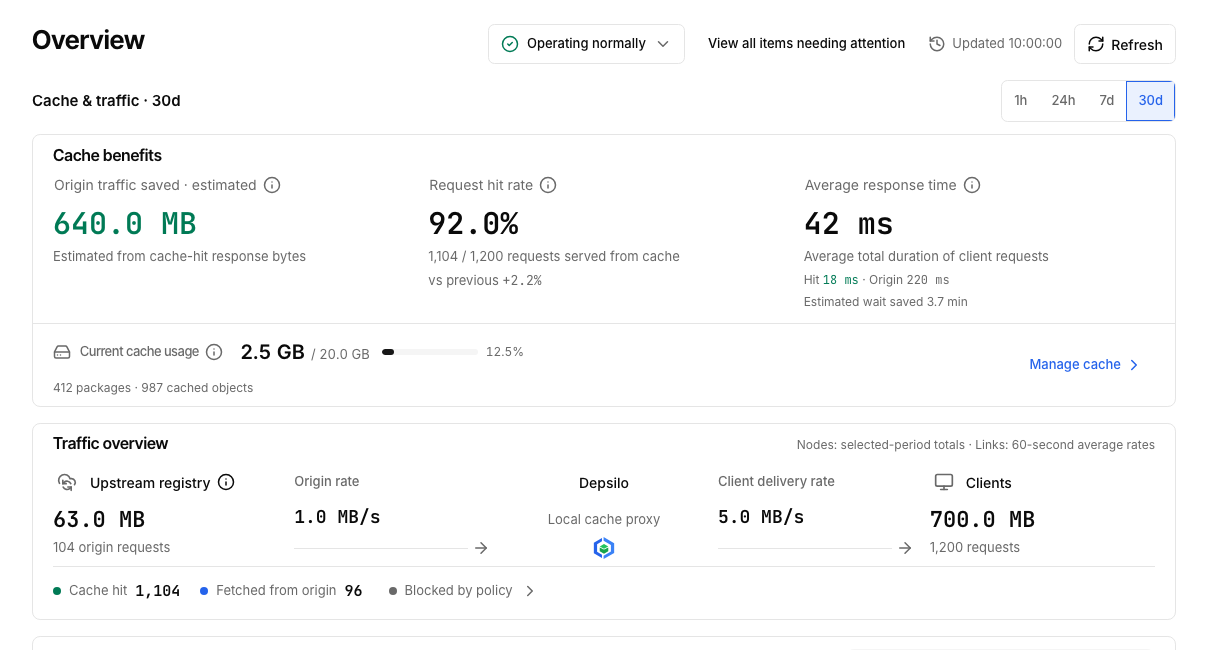
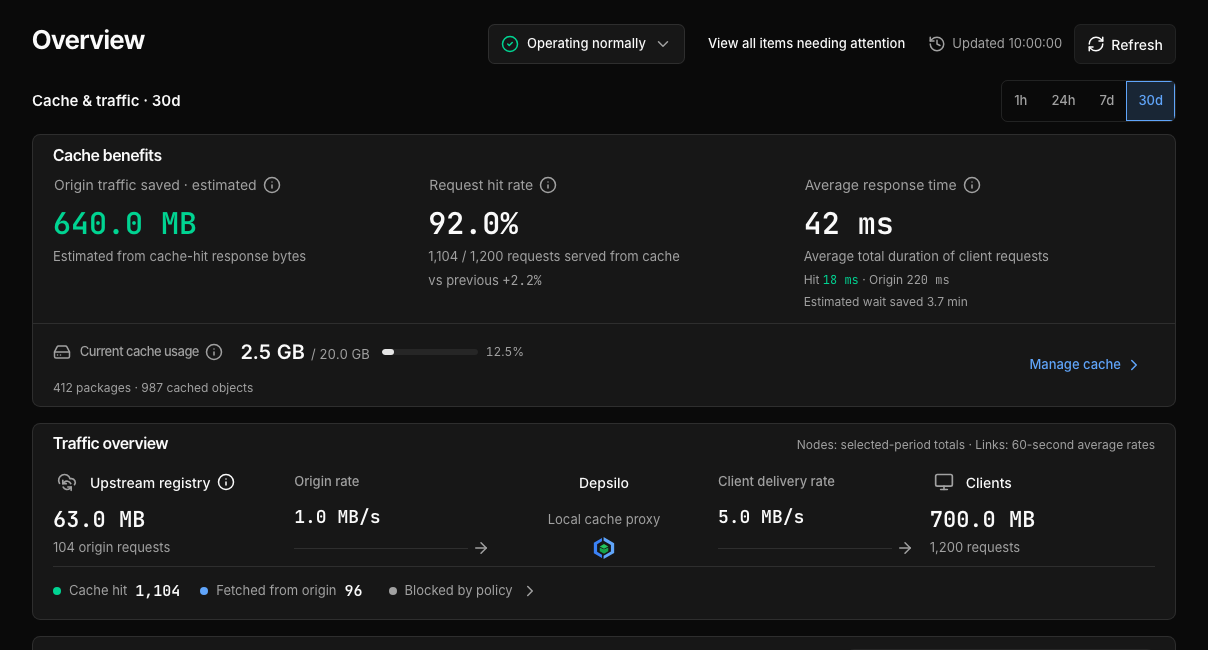
See how much gets reused.

Check the hit rate, estimated upstream savings, and response times for cache hits and upstream fetches.

Follow it in the product
  1. Open the admin overview
  2. Check the hit rate and estimated upstream savings
  3. Compare response times for hits and upstream fetches
Verify your own cache results
Actual product UI / Example dataDevelopment preview

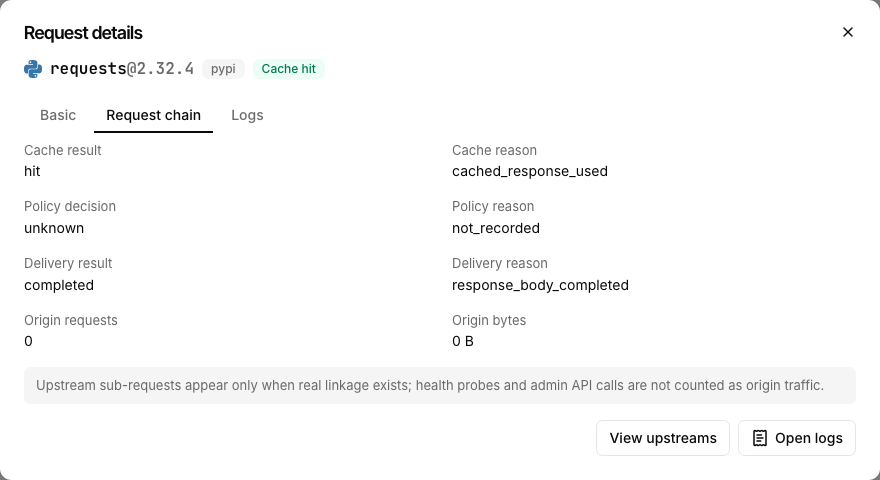
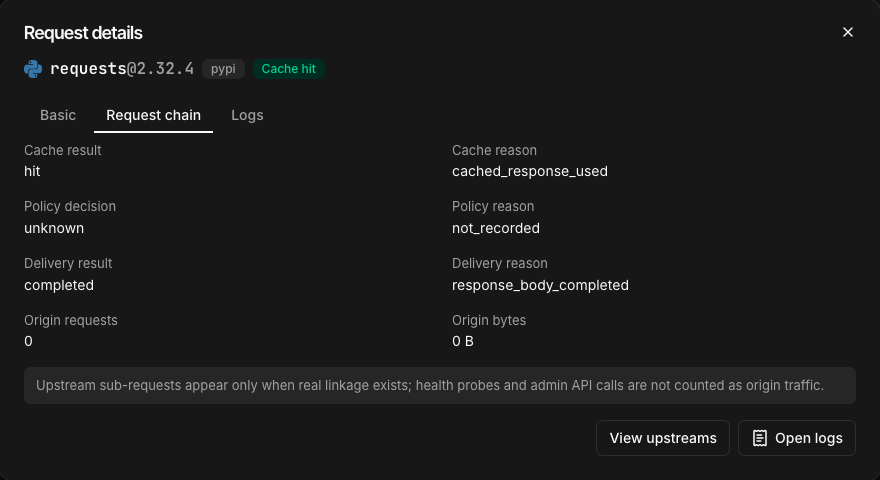
This download came from cache.

The example request hit the cache and completed delivery with zero upstream bytes. Its policy outcome was not recorded, so the interface leaves it unknown.

Follow it in the product
  1. Find the request in Access logs
  2. Open its request-chain details
  3. Read the cache, delivery, and upstream results
Learn how to diagnose requests
Actual product UI / Example dataDevelopment preview

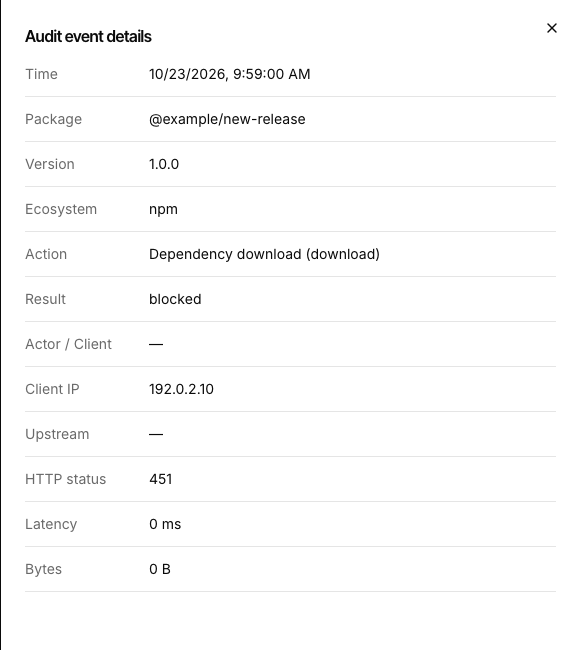
A blocked download leaves a record.

Audit details show the requested package and version, the blocked outcome, and HTTP 451. This example delivered zero bytes.

Follow it in the product
  1. Find the blocked event in Audit logs
  2. Open its audit details
  3. Check the package, outcome, and HTTP status
Explore policy and coverage

These screens show a development build. The quick start installs stable v0.11.0, whose interface may differ. View stable release

Actual UI with example data. Tall images scroll vertically when fitted to width; original size allows scrolling in both directions. Press Esc to close.

Keep your familiar package managers.

14 standard ecosystems + Docker OCI

Additional server setup: DockerHugging Face require upstream configuration.

ccache / sccacheConnect ccache or sccache to an isolated remote compiler cache with its own storage and quota.

Configure compiler caching

A fresh environment. A shared cache.

Local package caches serve one machine; CI caches restore saved directories. Depsilo caches dependency downloads for other machines to reuse. Keep the caches you already have.

See when a shared cache fits

From your own setup to a small team

Developers and homelabs

When you rebuild a VM or switch dev machines, reuse dependencies already downloaded through the shared endpoint.

Start with your own setup

Development teams and CI

Connect fresh runners to one dependency endpoint, inspect cache and delivery results, and apply enabled package rules before delivery.

Explore request-path policy

Inspect requests with MCP

Read request records through read-only MCP to check cache and delivery results.

Connect agents and read-only MCP

Connect your coding agent

depsilo init-agent generates reviewable project instructions for your existing package managers.

View AI setup prompts

Read-only diagnostic example

MCP

Did this download hit the cache?

The request hit the cache and completed its response. Its policy outcome is unknown, so this record cannot establish which rules applied.

Inspect the query and fields
  1. Read the request

    depsilo_requestLook up a request ID
  2. Check the facts

    cache_result: hit
    Cache hit
    delivery_result: completed
    Response completed
    policy_decision: unknown
    Policy outcome unknown

This example explains returned fields; actual answers depend on your records. Read-only queries do not change configuration or run fixes.

Deploy Depsilo

Let AI help you get connected, or choose how you want to deploy.

01

Start the service

Stable release v0.11.0 ↗

AI setup

Give this to your AI assistant

Please read https://depsilo.com/llms.txt, then help me deploy Depsilo and connect this project for my environment. Reuse an existing instance if available. Complete first-run setup, then verify requests and cache results.

Paste into an AI tool with web access. A web assistant can explain the steps; a coding agent with project and terminal access can help deploy and apply configuration.

Docker

Docker · POSIX shell
docker run -d --name depsilo -p 23333:23333 \
  -v depsilo-state:/root/.depsilo \
  ghcr.io/depsilo/depsilo:0.11.0

Use a machine with Docker installed. Configuration, database, and local cache persist in the named volume; the service uses port 23333.

Binary

Install · Linux / macOS
curl -fsSL https://github.com/depsilo/depsilo/releases/download/v0.11.0/install.sh | \
  DEPSILO_VERSION=v0.11.0 DEPSILO_INSTALL_DIR="$HOME/.local/bin" bash
Start · Foreground process
cd "$HOME"
"$HOME/.local/bin/depsilo" serve --host 127.0.0.1 --port 23333

Install v0.11.0 into ~/.local/bin with download verification. Keep the server terminal open for the bootstrap token. A new instance stores state in ~/.depsilo/ by default.

Homebrew

Homebrew is not published yet

An official Homebrew formula has not been published. Use the binary installer on macOS or Linux.

Use the binary installer
02Create your adminBootstrap token, admin, and readiness check

Read the one-time bootstrap token from the service startup logs, then create the first admin in your browser.

Ask your AI assistant to locate the startup logs, then enter the bootstrap token and complete setup in your browser.

Docker · Read the bootstrap token
docker logs depsilo

Binary installation: the bootstrap token appears in the terminal running serve. Keep that terminal open.

Homebrew installation is not available. Choose another deployment method first.

Open the local service localhost:23333 ↗

localhost and 127.0.0.1 refer to the machine running Depsilo. Configure a reachable address and HTTPS before connecting other devices.

After setup, check that the service is ready
curl -fsS http://127.0.0.1:23333/ready
03Make your first requestTest over local HTTP, then connect a project

After first-run setup, run this command on the machine running Depsilo to read npm package metadata.

First request · POSIX shell
curl -fsS --max-time 30 \
  http://127.0.0.1:23333/npm/is-number \
  -o /dev/null -w 'HTTP %{http_code}\n'

After HTTP 200, open Admin → Access logs (/admin/logs). Find the npm is-number request at the time you ran the command, and check that record to confirm it reached Depsilo.

Each curl invocation sends a request without using a package manager’s local cache. This local check uses the HTTP address above.

Connect your projectpip / npm / Go

Once you have confirmed the request, connect your project. Replace the HTTPS example below with your instance’s address, or get client settings from its Portal.

Configure HTTPS and a reverse proxy →

One command · POSIX shell

pip install requests \
  --index-url https://depsilo.example/pypi/simple/

This command does not write global registry settings.

Project commands may reuse installed dependencies or a local cache. A successful install may send no new request; use the curl request and its log record above to verify the connection.

Start open source. Add Pro when you need it.

Open-source coreMIT licensed, self-hosted
  • Dependency proxy and shared cache
  • Package rules, release age, and audit
  • Webhooks, agent instructions, and read-only MCP
Pro extensionsOptional, with a 14-day trial
  • Multi-project workspaces
  • Runtime project SBOM

Core caching and the open-source governance features above do not require Pro.

Explore Pro and the trial
Who is Depsilo for?

Individual developers, homelabs, small teams, and the DevOps engineers running those environments. Each instance runs independently; multi-node HA and shared-database deployments are not supported.

Do I need a different package manager?

No. Keep pip, npm, Go, and your other tools. Point their download sources at your Depsilo instance. Start with project-level settings and preserve lockfiles and integrity checks.

Will every dependency work offline?

Previously cached content can remain available under the applicable cache conditions when an upstream is unavailable. Uncached dependencies still need the upstream; this is not a complete offline mirror.

Where is my data stored?

Each instance uses SQLite for metadata and local disk or S3 object storage for artifacts. Your own deployment controls the data.

Which features are open source?

Proxy caching and governance features such as package rules, release-age policy, audit logs, and webhooks are open source. Multi-project workspaces and runtime project SBOM export are Pro features with a 14-day trial.

Is policy coverage the same for every ecosystem?

Coverage varies with each protocol and its publication-time sources. Docker is a pull-through cache. Docker and Hugging Face require additional server configuration in this version.

Bring your next dependency closer.

Start with one machine and one project. See what gets cached and how requests are handled.